

One Shared Timeline for Night Shifts and Caregiver Handoffs
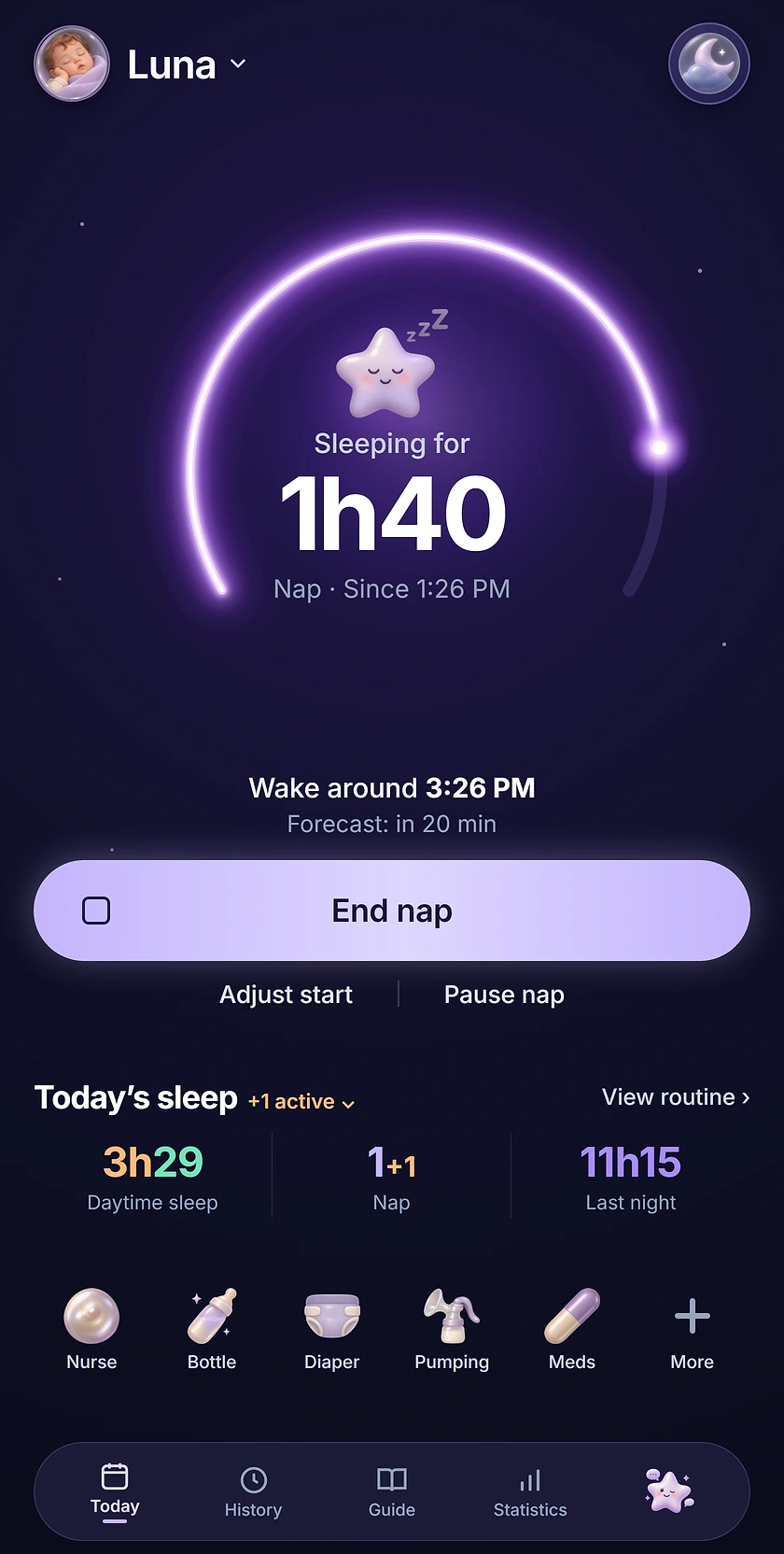
When one parent finishes the 2 AM feed and the next caregiver takes the 6 AM wake-up, nobody has to piece together text messages. Open NapBaby on either phone to see how long your baby has been awake, the next sleep window, and the last feed or diaper in a low-glare dark screen.
How a Calm Shift Change Works in 30 Seconds
1. Sign in to your shared family account on both phones
In NapBaby Premium, sign in to the same family account in Settings > Account so your partner, grandparent or nanny sees the same baby profile on iPhone or Android.
2. Log feeds, diapers and sleep starts one-handed in dark mode
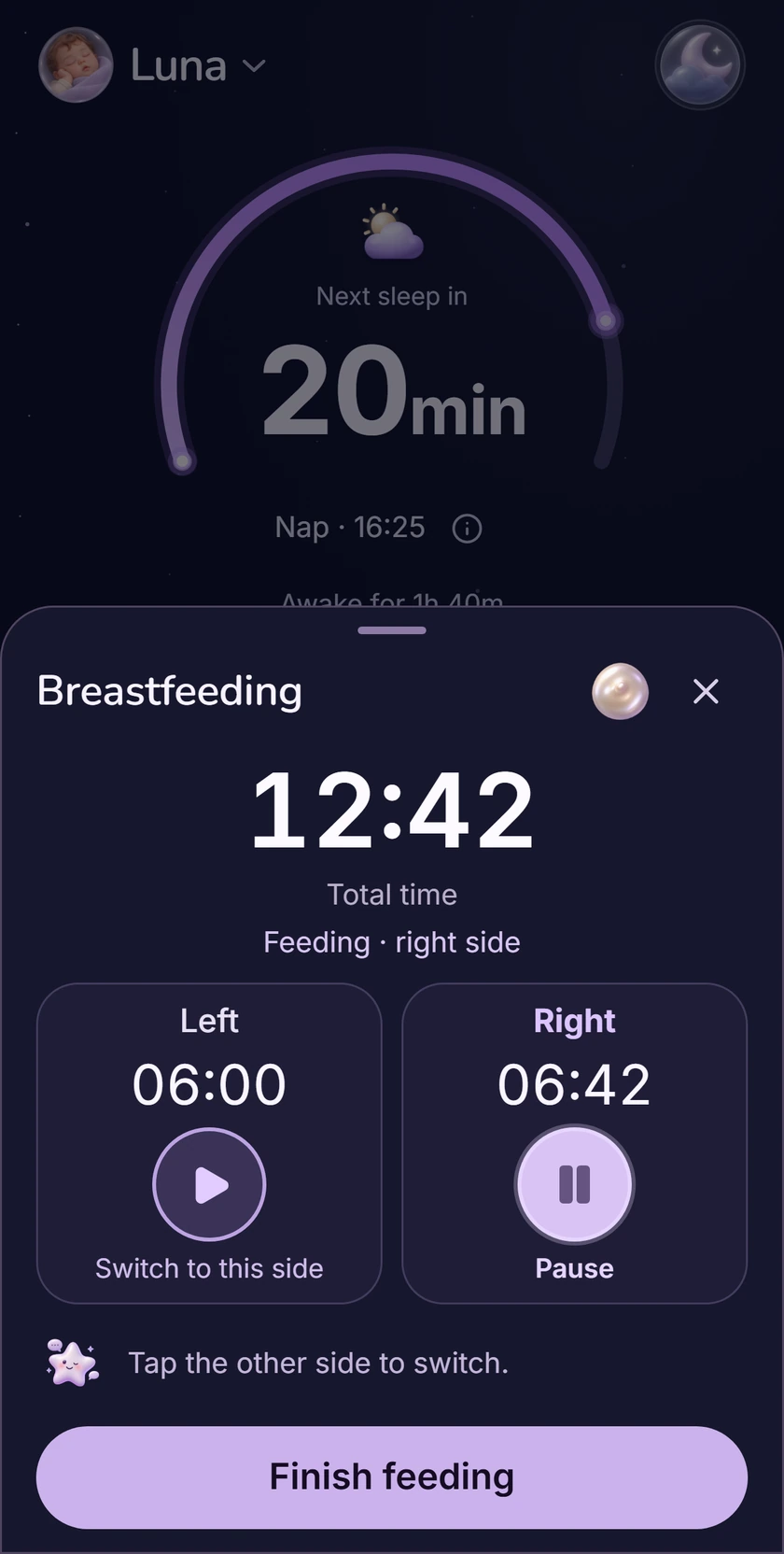
During a night shift, log nursing (with automatic left/right side memory), bottles, diapers or settling without brightening the nursery or waking your partner.
3. Hand over the morning without a single recap text
Whoever takes the next shift opens Today and immediately sees exact awake time, the next age-matched sleep window and every overnight care entry.
Inside the app, 0–24 month WHO growth curves and the pregnancy week calendar are free on your device. Cloud sync across your shared family account, the day-one age routine, settling-vs-sleep timers and Luma are part of NapBaby Premium (with a store trial available).
Try NapBaby for Shift Handoffs
Caregiver Handoff & Family Sync FAQs
Does every caregiver need a separate paid subscription to share the same baby?
No — once NapBaby Premium is active on your shared family account (including during an eligible store free trial), your partner, grandparent or nanny can sign in to that same account on their phone to view and log on the shared timeline.
Can one parent use an iPhone while a grandparent or nanny uses Android?
Yes. NapBaby runs natively on both iOS and Android, so an iPhone parent and an Android partner or nanny stay aligned on the same sleep windows, nursing sides, bottles and diaper logs.
Do we need a week of old sleep logs before the next caregiver sees wake windows?
No trailing week of chaotic logs is required. NapBaby Premium builds age-matched wake windows from Day 1 using your baby’s birth date (plus 40-week due date for premature Corrected Age), and you can also import an existing CSV from Napper, Huckleberry or standard CSV exports.
How is creator link attribution handled for privacy?
Each creator link carries only a public campaign tag (such as creator handle and store Custom Product Page ID) to measure page visits and store taps in aggregate. Baby names, birth dates, sleep logs and feeding records never touch creator or ad attribution links.